Most people choose to fix their TV onto a wall to free up room and get a better view. Since today’s screens cost quite a bit, getting it wrong is not an option as mistakes can damage both gear and well being. To avoid trouble, begin with solid hardware built for your model and avoid anything mismatched or makeshift. Often overlooked, cable control makes a big difference once everything is live and running. Start by thinking about eye position when seated, then adjust until the balance feels natural. Each move forward builds on what came before, so take time where needed. Done right, the result stays put without fuss or fear.
1. Selecting the Right Mounting Bracket
Start by picking a mount that matches both your TV and how you plan to watch it. Usually, TVs stick to VESA guidelines regarding the spacing of screw holes on the back. These specs come from the Video Electronics Standards Association. Peek at the manual or grab a tape measure to get those hole distances right. That way, whatever bracket lands in your hands later will actually line up. The wrong size will not hold properly. Get this step solid before moving forward.
Three main kinds of TV mounts exist. Fixed ones hold the screen tight to the wall, giving a sleek appearance without any adjustability. When the set sits higher than where you sit, tilt capability helps because this kind angles down slightly. Swinging arms define another option that extends outward and pivots across space. Weight limits differ among models, making it essential to match the hardware with the TV exact dimensions and heft. Wall placement choices shift based on these traits.
2. Finding Wall Structure and Stud Positions
Heavy things stay up only when fastened to solid parts behind the wall. Hanging a TV just on drywall, even with regular screws, usually ends badly. Those hidden bones inside your walls called studs hold everything together. They are made of wood or metal, standing upright like silent pillars. Spacing between them is often one foot or two.
Start by scanning the wall with a reliable stud detector. Where it beeps, draw lines at both sides plus one down the middle using a pencil. Check what is underneath by tapping in a slender nail or twisting a tiny drill bit through to confirm solid material waits within. Homes built with stone like surfaces demand tougher gear such as thick anchor sleeves paired with drills meant for brick work. Only then does stability come close to guaranteed.
3. Determining the Best Viewing Height
Most people hang their TV too high on the wall, which often causes stiff necks and washed out visuals. When sitting down to watch, your eyes should meet the middle of the screen straight on. About four feet above ground works well for many living areas. That number fits typical couch heights pretty closely.
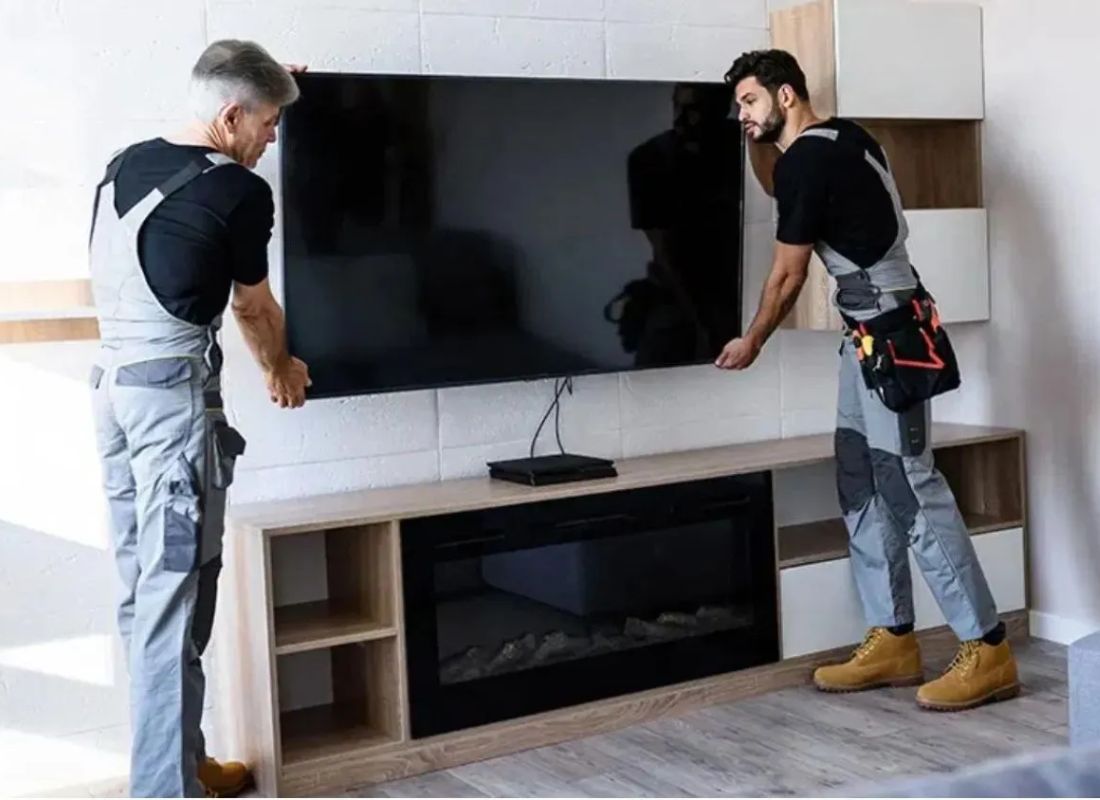
Start by asking someone to assist while lifting the TV against the wall. Or try sticking cardboard shaped like the screen onto the surface instead. That way, you can check how it looks from various spots where people sit. Think about where the electrical sockets are already placed and factor in nearby cable ports. These details decide just how long the cords must stretch after mounting.
4. Attach Brackets and Drill Pilot Holes
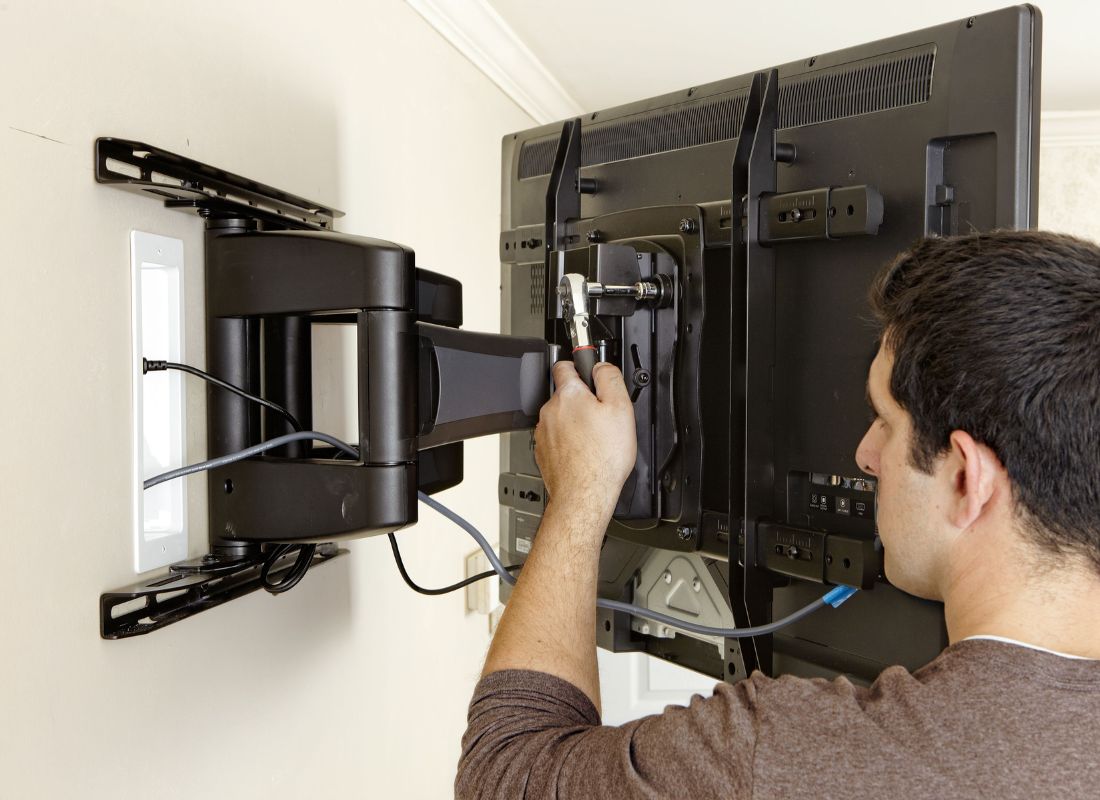
Start by detaching the mounting plate from the arms once you have picked the spot. The next step involves fastening the arms to the TV rear with the included bolts. Take care when turning the screws as too much force might harm what is inside the display. Position matters so keep the arms balanced and straight across the back of the unit.
Start by pressing the wall plate flat to the surface, lined up with your premeasured line. A small level helps check that it sits completely straight. With a pencil, dot where each lag bolt goes, making sure those dots align exactly over stud centers found before. Go ahead and drill shallow guide holes first, matching a bit just narrower than the bolt width. That way, when fastening later, the wood stays intact without cracking under pressure.
5. Secure Wall Plate and Hang TV
Start by matching the wall plate to your guide holes. Then, use a socket wrench to insert the lag bolts. Check if it is perfectly straight before securing them fully. Fixing small errors at this stage beats correcting a tilted setup afterward. When the bracket will not budge after fastening, proceed to attach the TV.
Start by having someone assist you as you pick up the TV. Match the arms on its back with the rails or hooks attached to the wall plate. Let gravity ease the set downward until a click confirms it has settled securely. A safety screw usually comes with most brackets to stop knocks from dislodging the display. Before releasing your hold, check that the lock clicks completely into position.
6. Cable Management and Final Adjustments
Once the TV sits firmly against the wall, tackling the loose cords becomes next. Messy, hanging lines often spoil how clean a setup looks. Adhesive plastic channels painted to blend with walls can hide them neatly. A sleeker result comes from routing cables inside the wall using special kits made for that purpose. Remember, any wire hidden within needs proper fire safety approval based on where you live.
Tweak the joint tightness if your mount tilts or moves fully so it holds position without resisting every shift. Go over each link one by one and make sure cords for power and signals sit snug, clear of any squeeze from metal arms. Hidden wiring and the screen in position means you are at the finish line.
7. Conclusion
Start strong by picking a solid wall bracket suited to your TV size. Instead of guessing, use a stud finder to pinpoint where the wood framing sits behind drywall. Once located, mark each spot carefully because accuracy prevents wobbling later. Levelness matters more than most think. Fasten screws deep into those studs so weight stays supported long term. Safety ties directly to stability and the sturdier the base, the less worry about shifts or slips.
Start fresh with a better TV setup at home. Reach out to Stone City now if you want a skilled pro to handle your Media Installation. Experts on staff check how solid your walls really are before any mounting begins. Instead of guessing, they measure twice and mount once for every surface type. Cables get hidden just right through Advanced Cable Management so nothing dangles or shows where it should not. Get in touch today because skilled hands make all the difference.