Mounting a TV on the wall opens up the floor area while giving rooms a sleek and uncluttered look. Since TVs weigh a lot and can break easily, getting it right means paying close attention to detail and making sure everything stays safe. A well fastened bracket avoids costly harm to your device and keeps people around it out of danger. Doing it properly includes picking suitable parts, finding solid spots inside the walls, and setting the display where it feels natural to watch. This walkthrough covers exactly what you need to follow so the setup sits straight, holds firm, and improves how you see content.
1. Selecting the Right Mounting Hardware
Start by finding a mount that matches your TV. Screw hole layouts usually stick to VESA rules which are the four points forming a box on the rear. Check the spacing in millimeters or flip through the guidebook if you are unsure. Matching those measurements keeps everything secure.
Picking the right mount means thinking past just whether it works with your TV. Built flush to the wall, a fixed version gives a clean and slim finish. When your screen sits above where you sit, tilt options help by angling the display down slightly. Swivel power and reach come alive with full motion types where arms extend, pivot, and adjust. Check the support limit every time and let it outweigh what the TV brings.
2. Find Wall Studs and Support Structures
A TV hanging just on drywall will not last because the surface cannot hold that kind of load for long. Instead, connect the mount straight into the studs beneath, which are those hidden supports made of wood or metal. Usually, they stand sixteen or twenty four inches between each one.
Start by picking up a reliable stud detector so you can spot where the wall framing sits. Mark both sides along with the middle of each one using a regular pencil. Before putting any holes in the drywall, try nudging a slender nail lightly into the spot just to make sure it meets solid material. A sudden firm pushback means you have hit timber. When dealing with surfaces built from stone like materials such as brick or poured blocks, standard tools will not cut it. Grab specific fixings designed for hard surfaces plus a drill bit tough enough to bore through them safely.
3. Determining the Correct Mounting Height
Most people hang their TV way up high without thinking twice, but this often means sore necks later on. When sitting down, your eyes should hit right in the middle of the screen for easiest watching. Around four feet off the ground works best in many living rooms. That spot keeps things clear and comfortable.
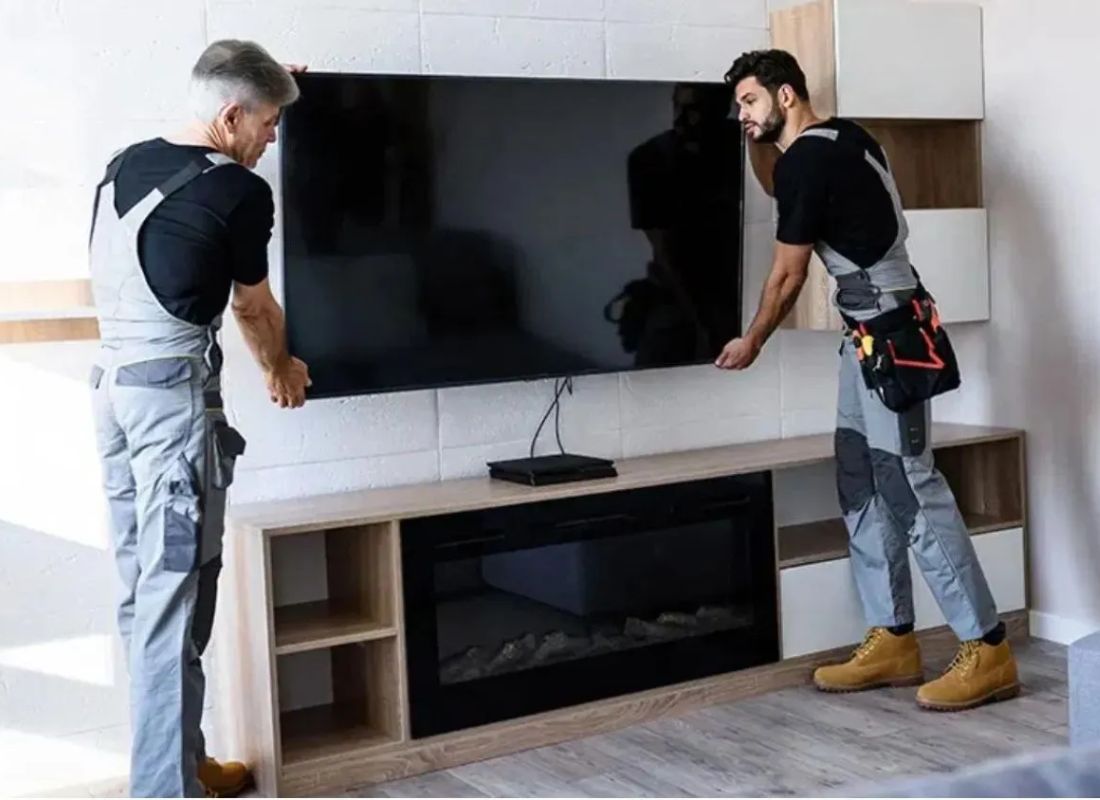
Start by asking someone to assist while lifting the TV against the wall and try different levels to see how it looks from where you usually sit. Instead of moving the actual set each time, stick a piece of cardboard shaped like the screen onto the surface to get a feel for its presence. While doing this, pay attention to nearby power sockets and connection spots so cords will not fall short when plugged in later. A little planning now keeps cables relaxed instead of strained once everything is mounted.
4. Drilling Pilot Holes and Attaching Wall Plate
Start by lining up the mounting plate where you have decided to place it. From there, trace the screw holes directly through the slots. Make sure each dot sits right over the stud centers found before. A small leveling tool helps check if everything runs flat across. Getting this part straight now avoids a tilted display down the line.
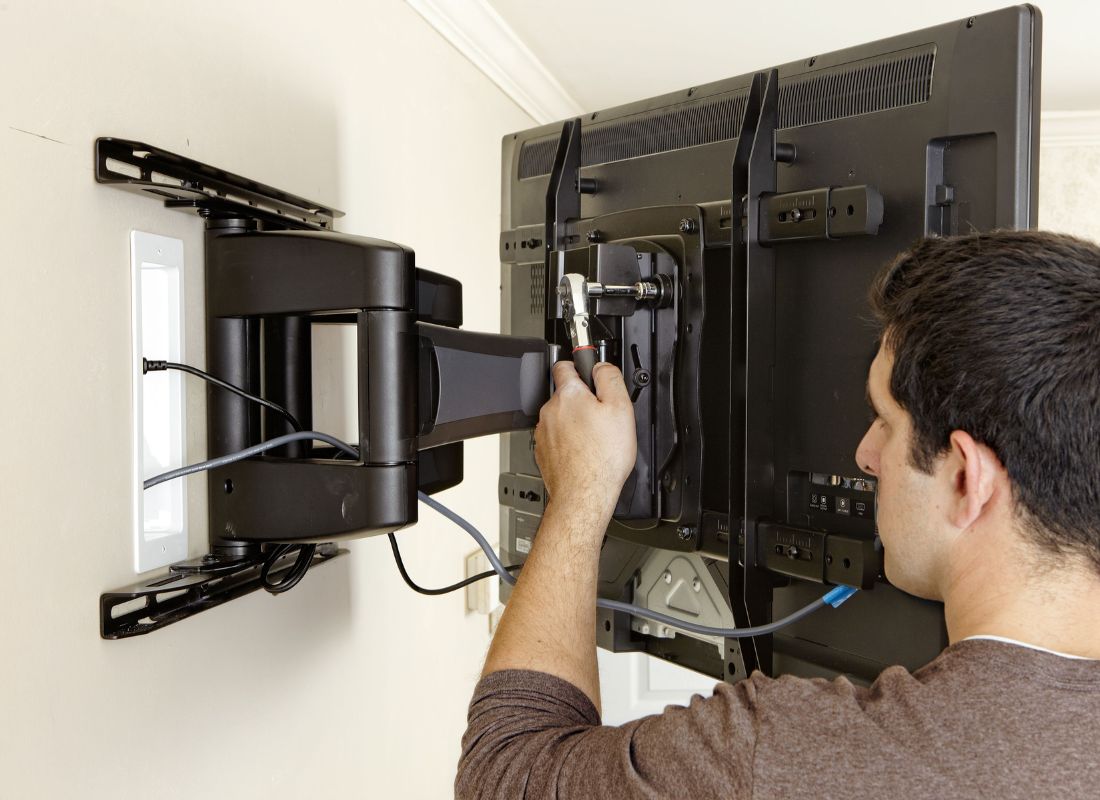
Start by drilling small test holes into the wooden supports using a bit just under the bolt size. That way, each fastener slides through neatly and avoids cracks in the framing lumber. With the base piece lined up, push each threaded rod into place using a ratchet tool. Right before locking them down fully, glance at your leveling device again and shift things if required. Only after alignment looks right do you fasten the support block tight enough to stop any movement.
5. Mount TV and Attach Brackets
Start by fastening the bracket arms to the rear of the TV with the bolts included in the mount package. Take care because too much force when tightening might harm the screen inner components. Position matters so keep the arms aligned and even along the back edge.
Start by lifting the TV with someone beside you. Match up the arms to the rails or hooks on the wall mount. Slowly bring it down so it clicks securely into place. A small latch or bolt usually keeps it from slipping loose. That piece must click tight before letting go. Check the lock sits right with no gaps and no wiggle.
6. Cable Management and System Tuning
Most folks forget the wires after mounting a TV, yet tangled cords ruin what could be a tidy setup. Instead of leaving them loose, try using sticky backed raceways painted to blend with your walls. Another path leads inside the wall itself which is neat but only if done right. Hidden electrical lines need special approval for enclosed spaces. Safety matters more than how it looks when tucked away.
Smooth movement without wobbling happens when joint tension on tilt or full motion mounts is just right. With care, verify every connection to ensure power and signal lines sit tight and are never squeezed by the bracket against the wall. When wires are neat and the screen is straight, that moment means the TV can now do its job.
7. Conclusion
Mounting a TV on the wall starts with thinking ahead because safety matters most. Pick strong parts, hit the hidden wood beams inside walls, and keep the screen straight at sitting height to help build something solid. When it holds tight, worries fade because gear stays put year after year.
What if your living room could feel more polished? Get in touch with Stone City now to book a Full Media Setup Review that is done right down to the last detail. A steady TV begins with solid walls, so we test how well any surface holds weight before mounting anything at all. Whether it is brick, drywall, or tile, our approach changes to match what is there. Large screen or compact model, each fit follows its own rules. Cables tend to tangle, but we route them neatly behind the scenes using Integrated Cable Management. Everything stays hidden yet accessible exactly where it should be. Get in touch because skilled workers will make sure it sits straight and stays tight.